
Module 10 of 13
Back in production, repair reports and weekly summary
A signed timeline for every breakdown, and the week's downtime, repair time and causes.
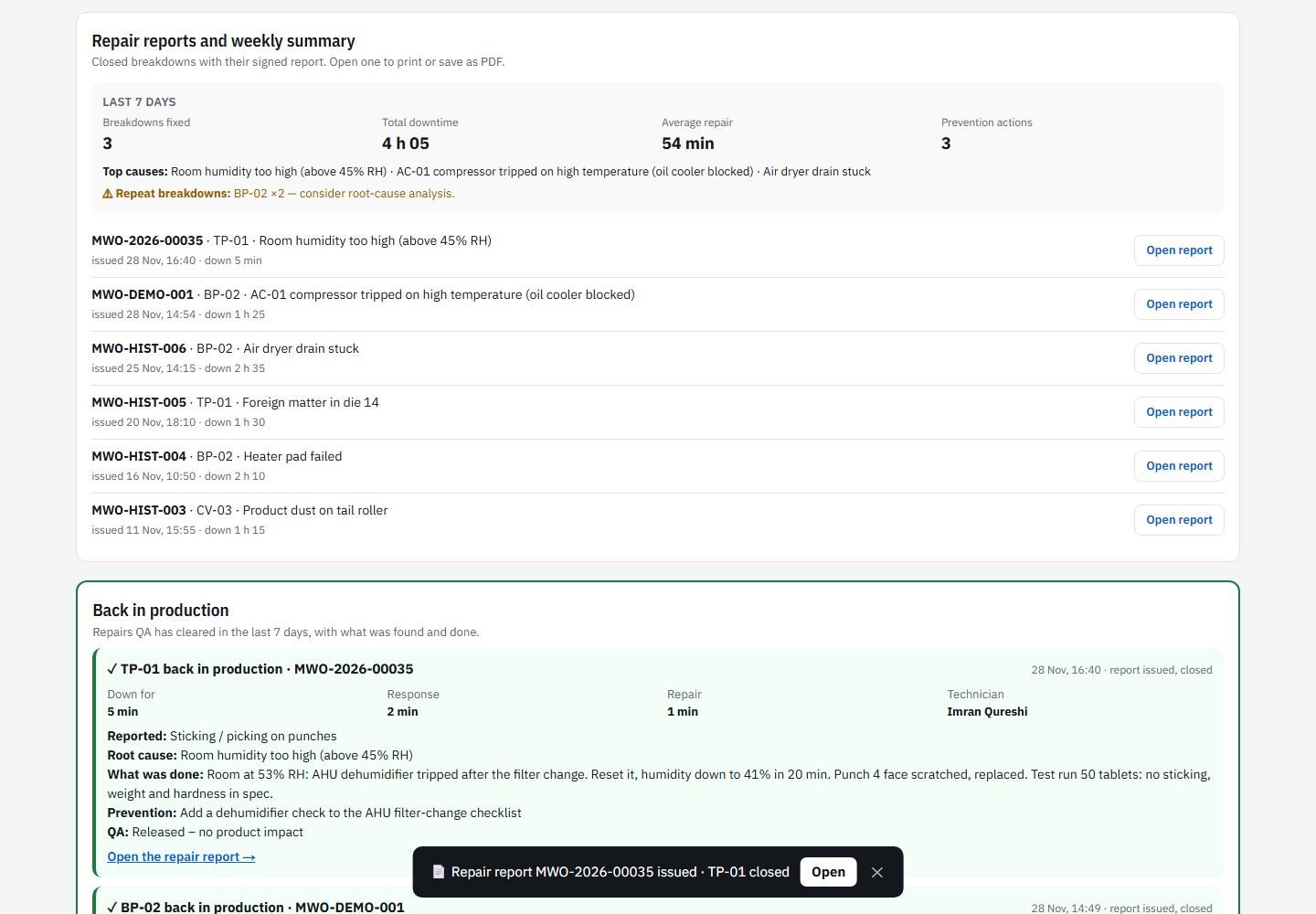
What it does
Once QA clears the line, the machine is back in production and the job ends with a signed repair report: the full timeline, who did each step and when, printable as a PDF. The weekly summary shows downtime, mean time to repair (MTTR), the top causes and repeat breakdowns. The prevention step on a repair can be turned into a check in the preventive maintenance plan.
The steps
- 1The line is cleared and the machine is back in production.
- 2The signed repair report is produced with the full timeline.
- 3Print or save it as a PDF.
- 4Read the weekly summary and send prevention steps to the PM plan.
What each role sees
- Site director
- Downtime, MTTR, top causes and repeat breakdowns.
- Maintenance manager
- Repeat breakdowns and the prevention steps to plan.
- QA
- The signed report for the batch record.
Follow one breakdown end to end.
The demo needs no login. Switch roles at the top and take TP-01 from the stop to the signed report.